User Manuals Mobiliis Company Admin Guide
19. Billing, invoices and paying
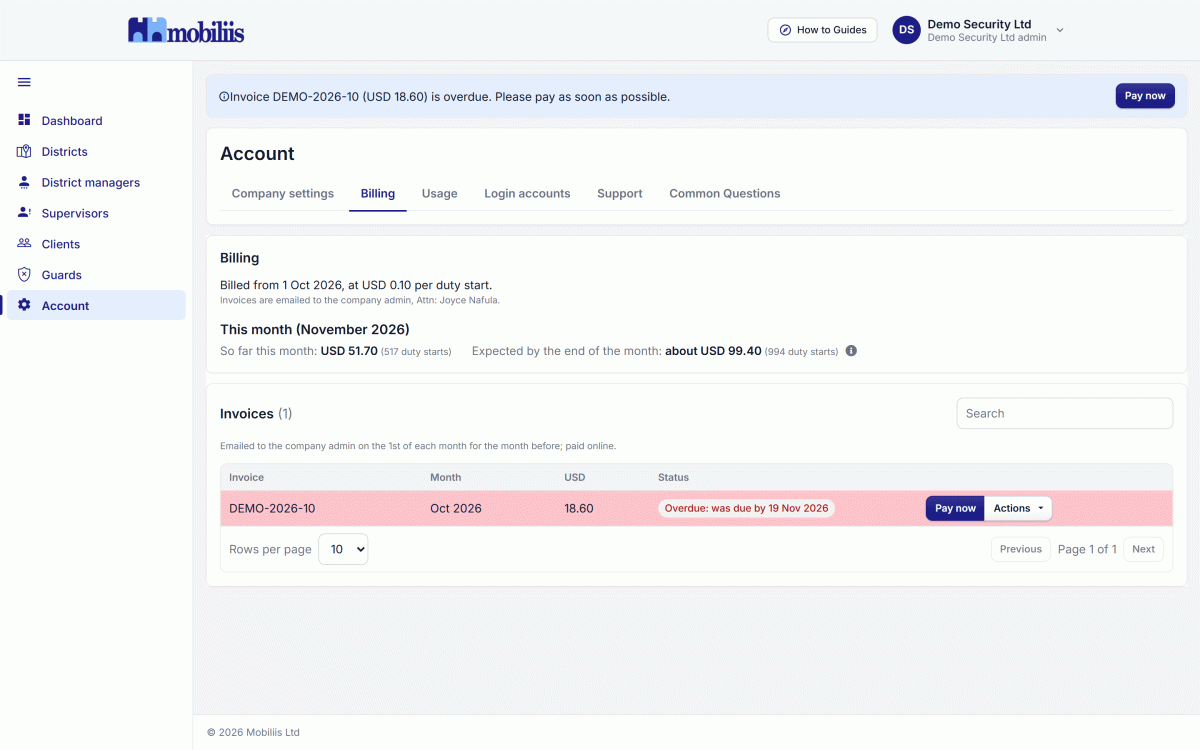
Go to Account, then Billing.
- You pay per duty start: each time a guard's duty starts, at your price per duty start. The tab shows "Billed from…, at USD x per duty start" and this month so far.
- An invoice is made on the 1st of each month for the month before and emailed to you.
- Each invoice is paid using Stripe's (https://stripe.com) secure payment page: press Pay now. Mobiliis does not store any card details.
- From each invoice you can download the PDF and, once paid, the receipt, or have it sent again.
- If an invoice is not paid: a reminder on day 8 and day 14 after the invoice date; on day 21 the account is suspended until the invoice is paid. Once paid, it is reinstated. While your account is suspended, no alerts are sent to your guards. You can still sign in, but you can only open the Billing page.
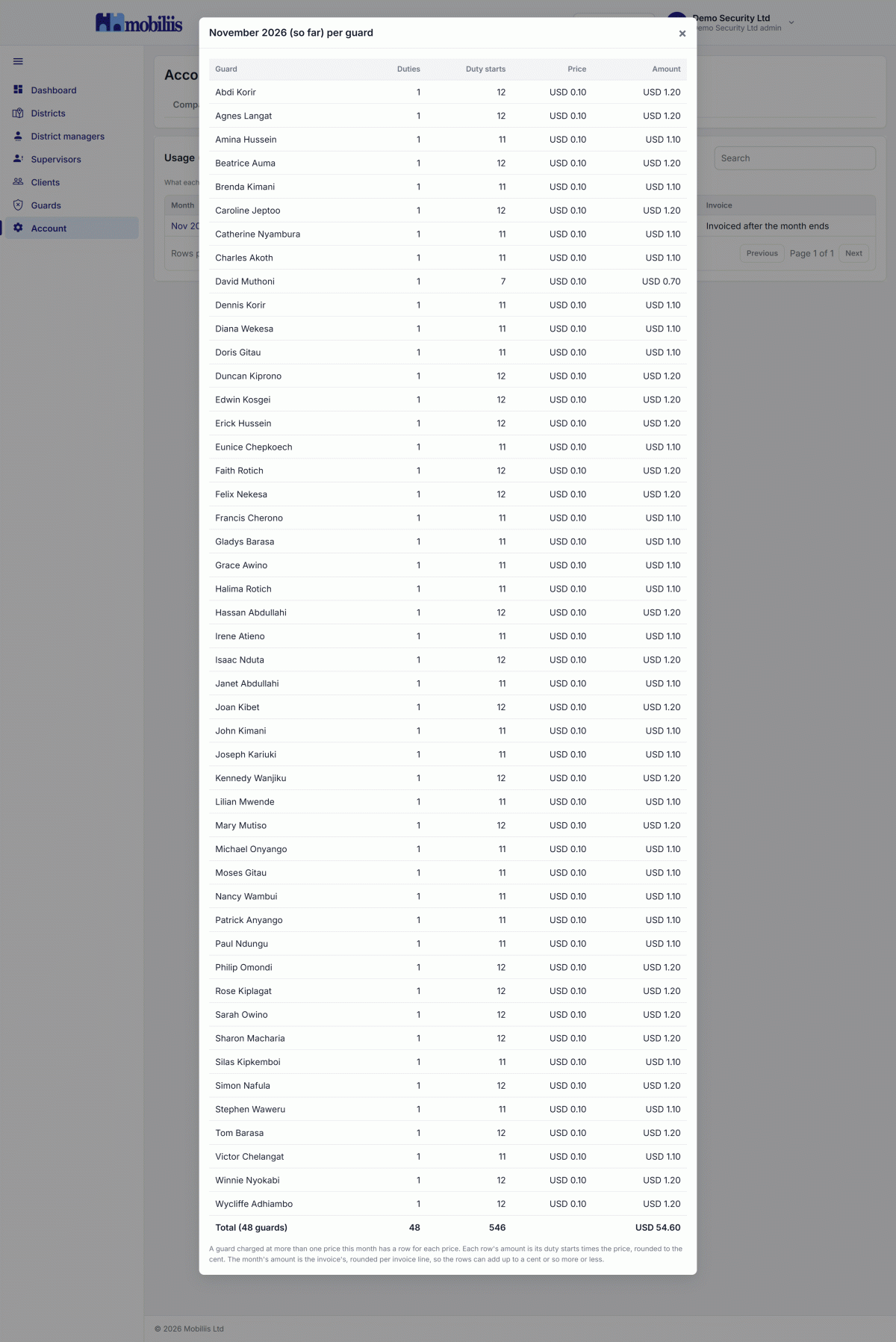
- Usage tab: duties and duty starts per guard, month by month.
You cannot change your price or billing start date yourself; ask Mobiliis.