User Manuals Mobiliis Supervisor Guide
5. Changing a duty's name, client or location
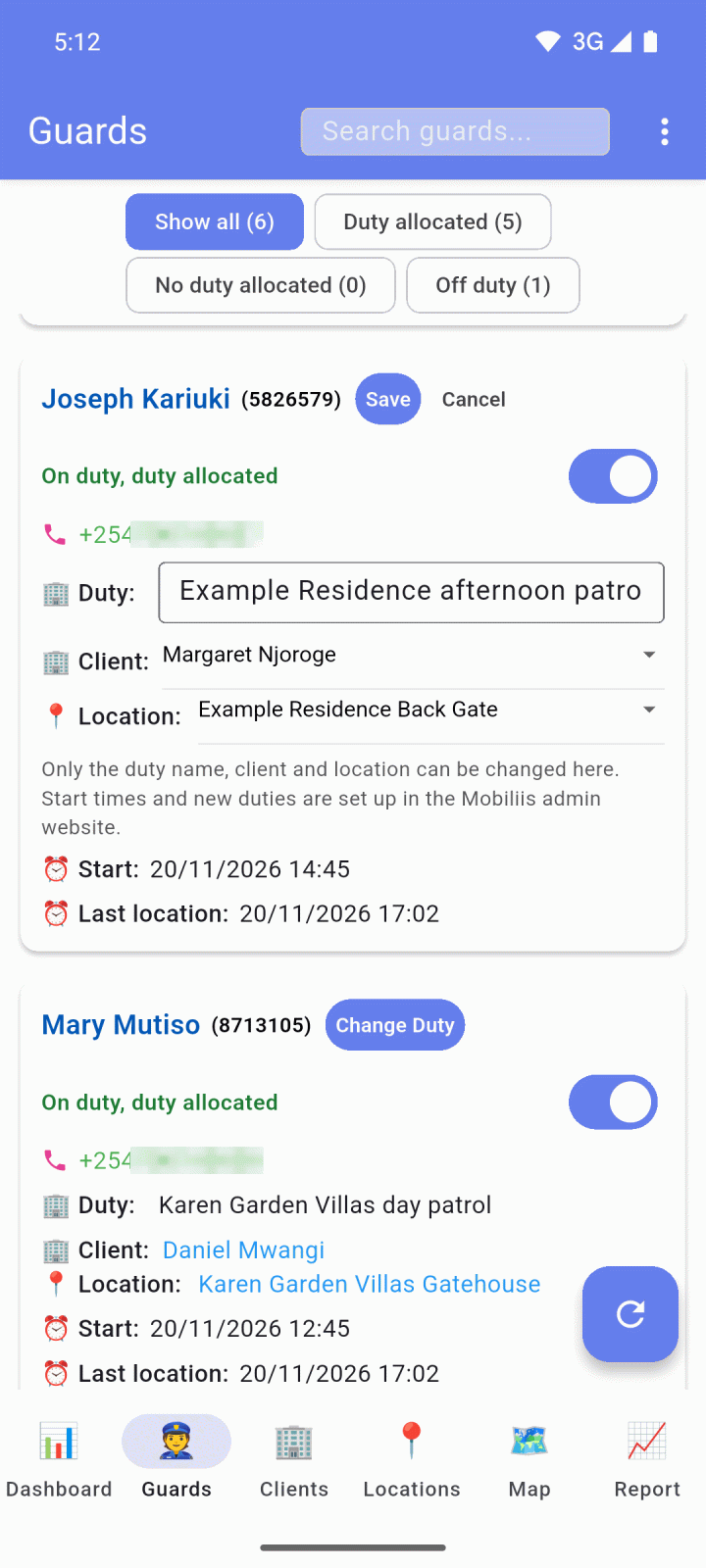
On a guard's card, tap Change Duty. Change the duty's name, client or location, then tap Save, or Cancel to leave it as it was. The change applies to the coming days of that duty.
You cannot change times, or create or delete duties: "Only the duty name, client and location can be changed here. Start times and new duties are set up in the Mobiliis admin website."