User Manuals Mobiliis Company Admin Guide
16. Checking a duty: alerts, rest breaks and the route
Open a duty from the guard's duties, or from the dashboard's Duties tab.
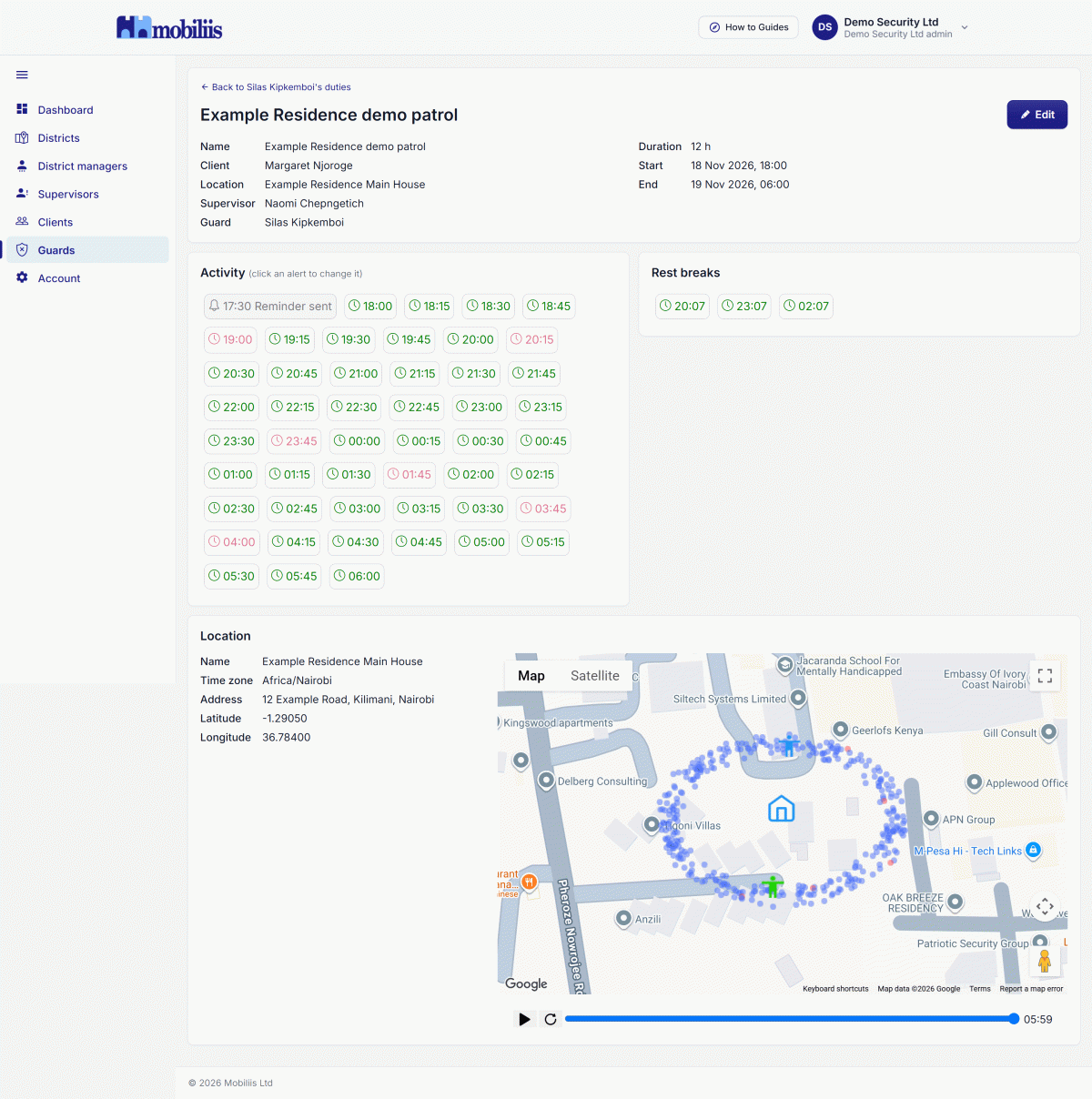
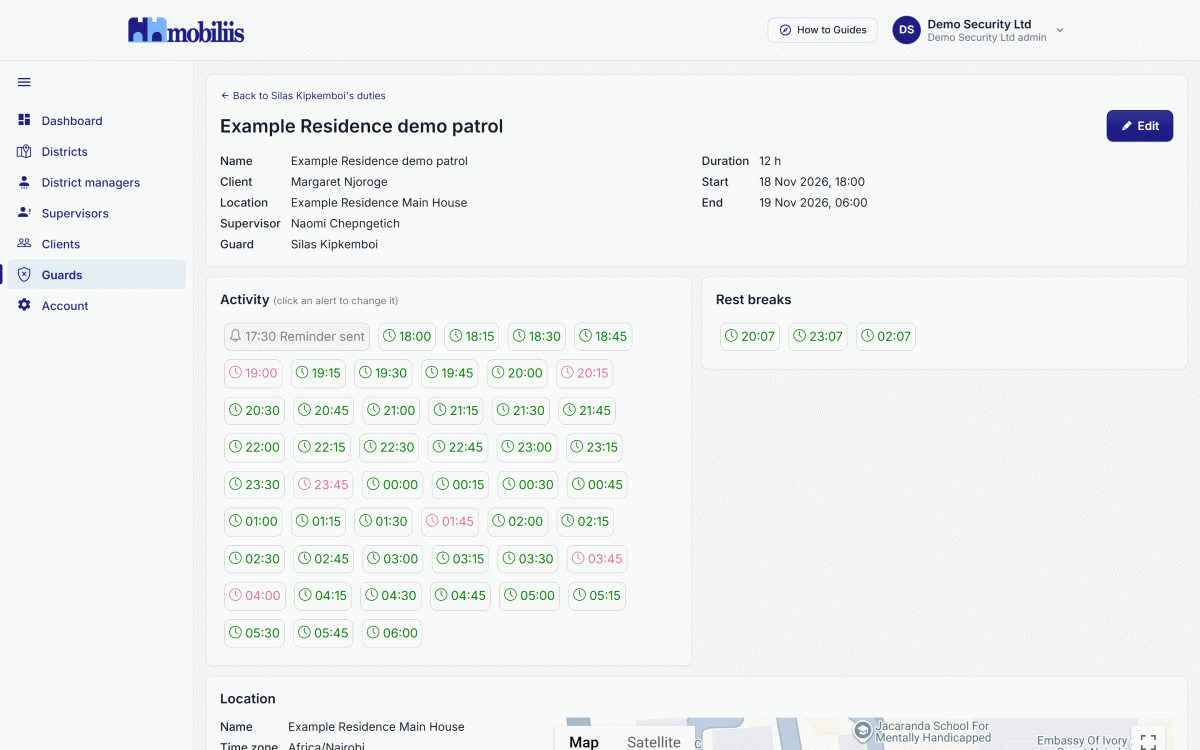
- Activity: each alert in colour: green answered, red missed, grey reminder. A start where the guard was not at the location is marked "not on location".
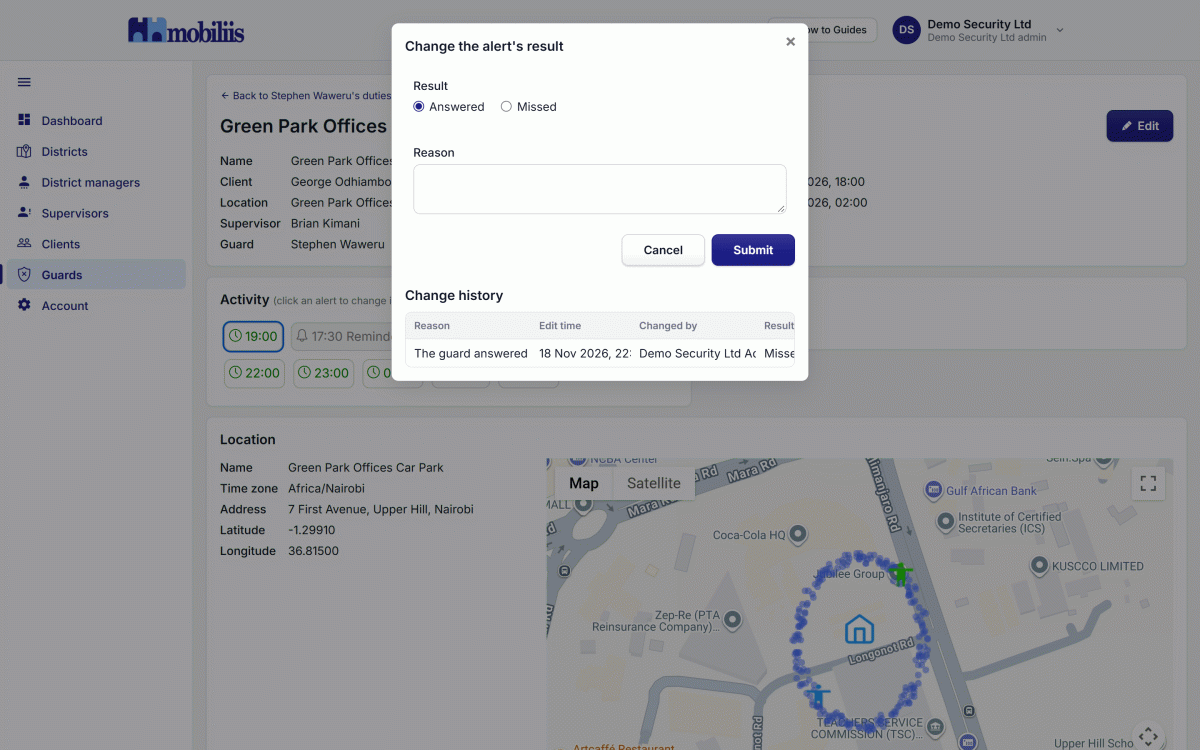
- Changing an alert's result: press the alert, choose the new result and give a reason. Every change is kept in the alert's history, which records the date, the reason and who made the change. A change made by a Mobiliis Manager shows as, for example, "Demo Security Mobiliis Manager Otieno".
- Rest breaks are listed with their times.
- The route map: the guard's points through the duty. Press Play or drag the slider to follow the route. All times are the duty location's local time.