User Manuals Mobiliis Supervisor Guide
11. Reports and sharing them
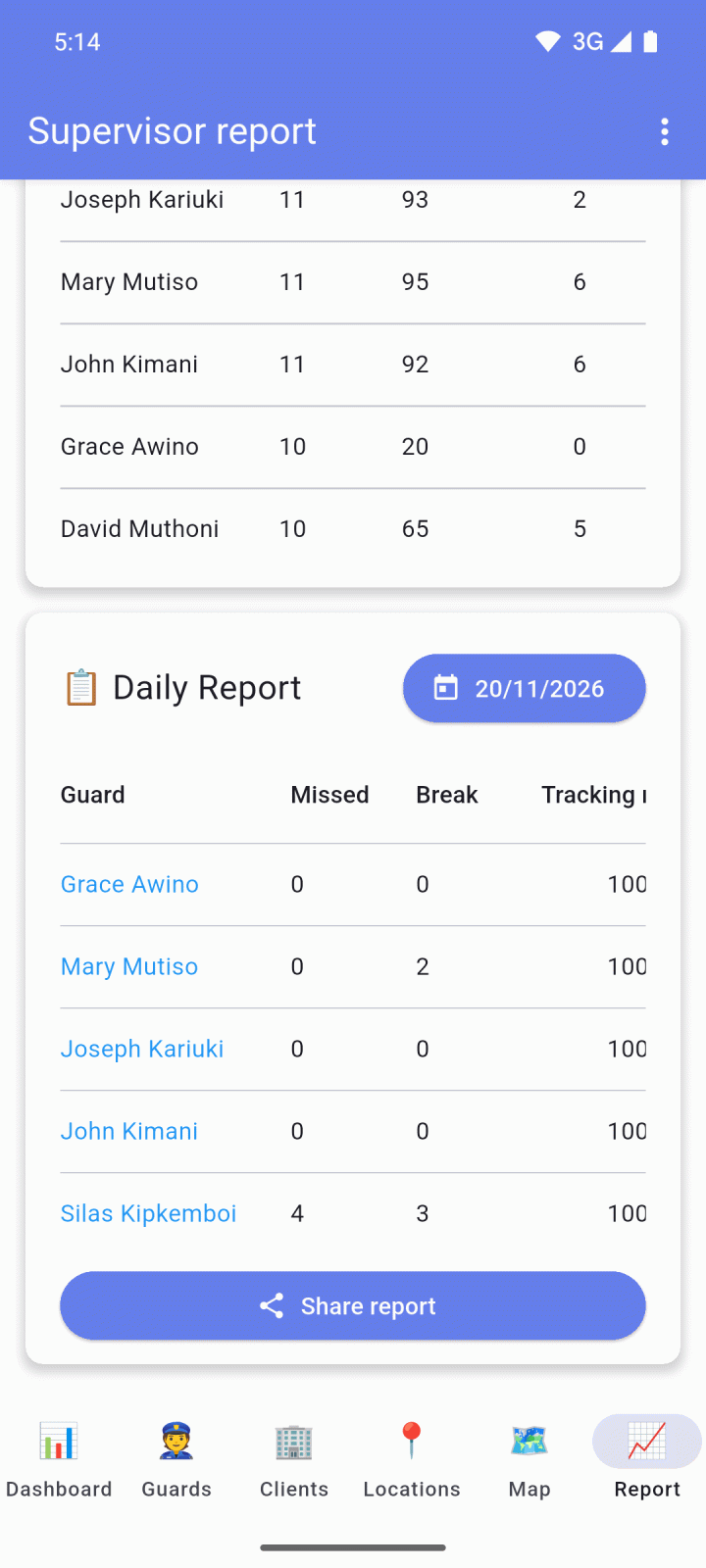
The Report tab has the Supervisor report. Scroll down and sideways to see every column.
- Monthly: choose a month. Hit record is the share of alerts answered in time.
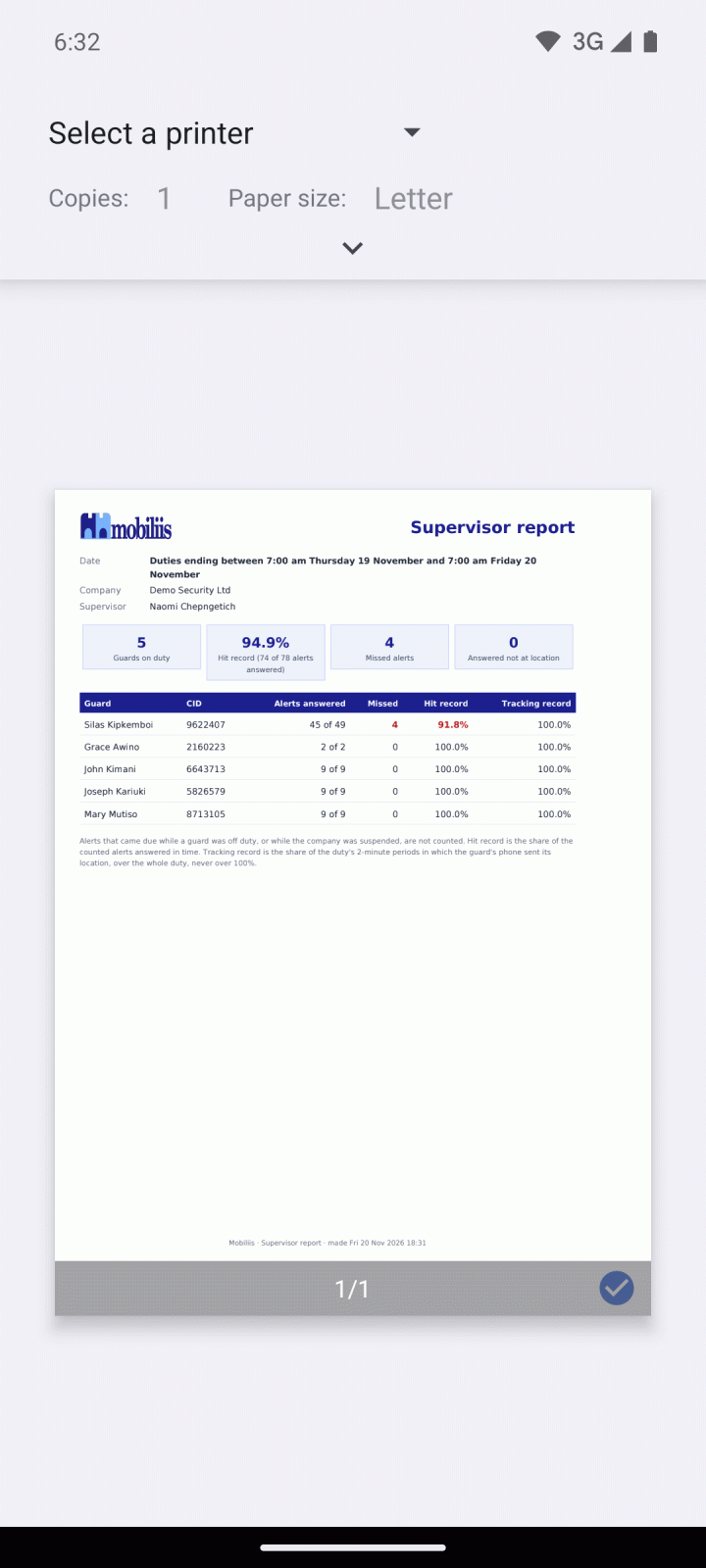
- Daily: choose a day (up to today). It covers 07:00 to 07:00. Tracking record is the tracking points received out of the points possible over the whole duty. Guards switched off duty for the whole day are not included.
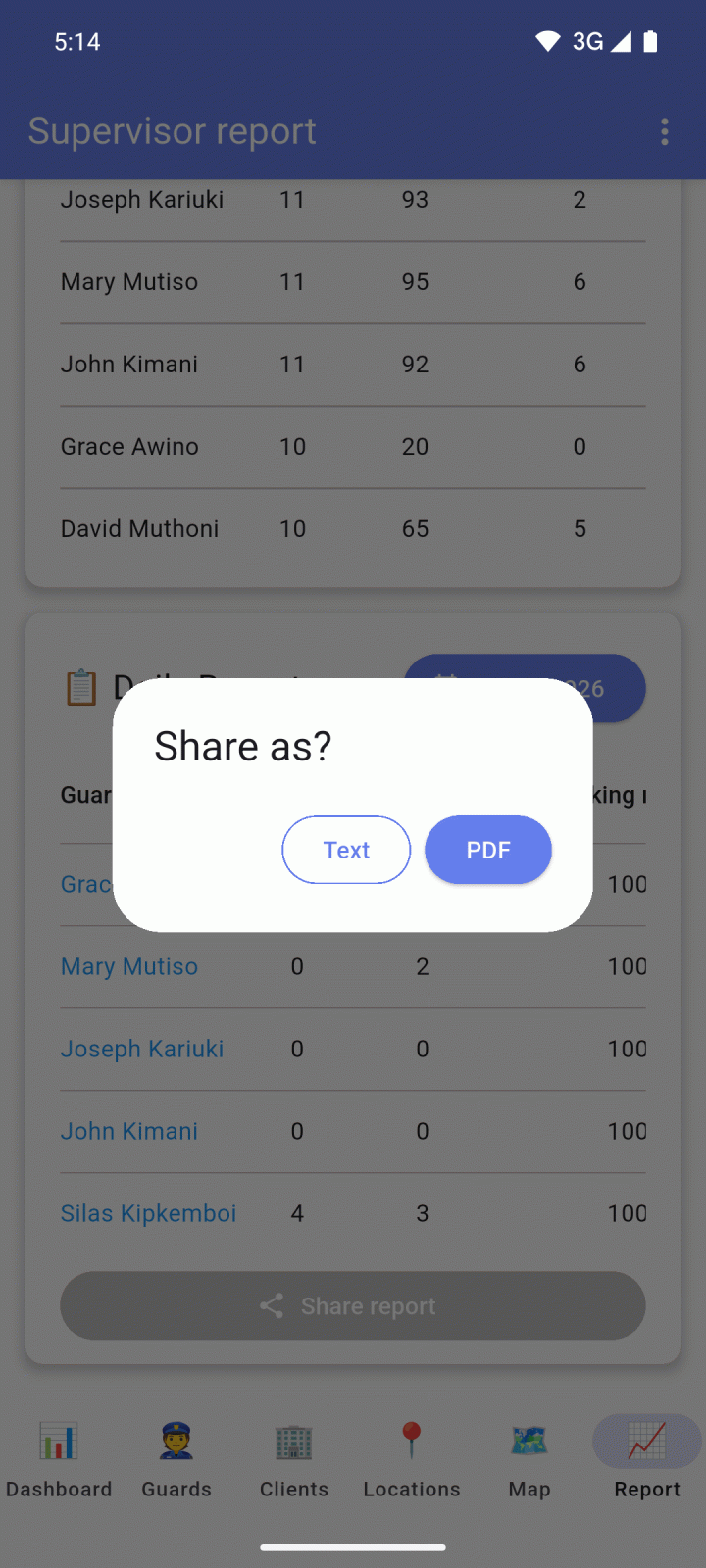
- Share report: shares the daily report through the app you choose (for example WhatsApp). Mobiliis first asks "Share as?": Text sends a short summary message; PDF sends the full report as a PDF file with a one-line caption. If some guards' duties ended less than 5 minutes ago, the app first shows a box asking whether to Wait 5 mins for their final figures or Send now.