User Manuals Mobiliis District Manager Guide
9. Guards and the On duty switch
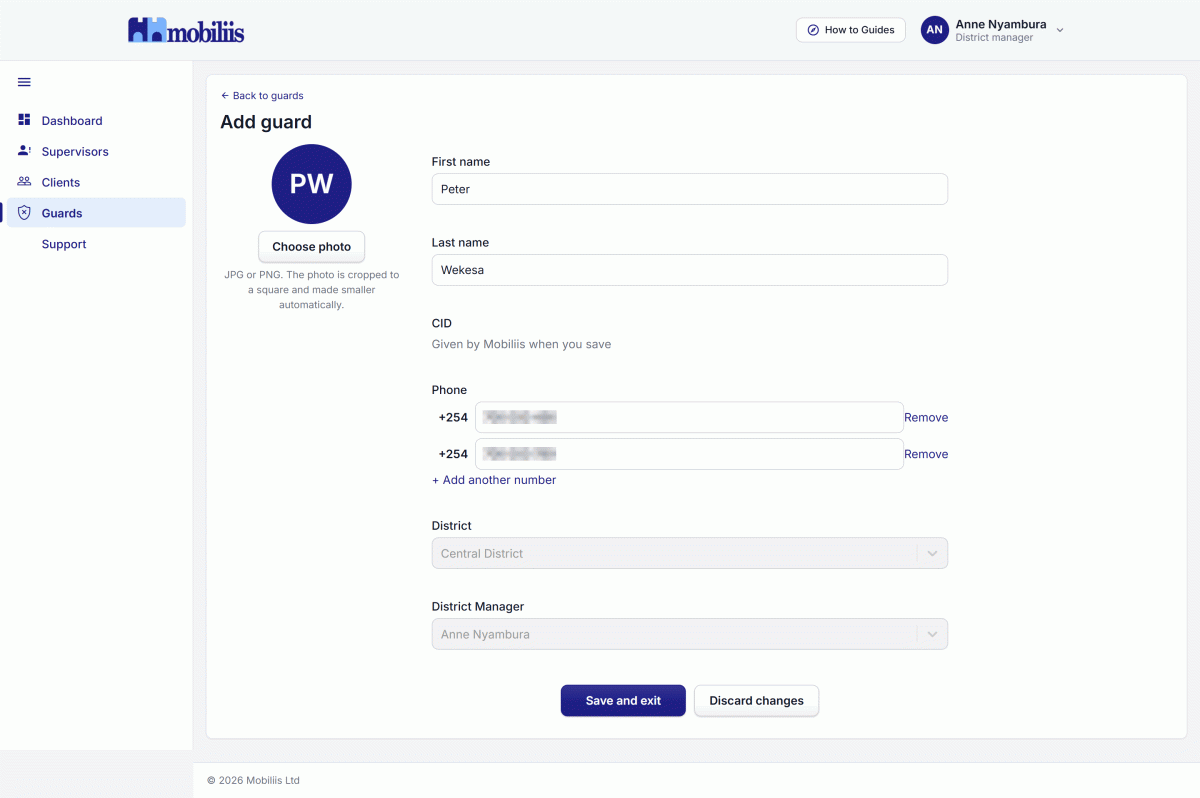
- Add: in the side menu, click Guards, then Add guard: their name and phone number. Mobiliis gives them their CID.
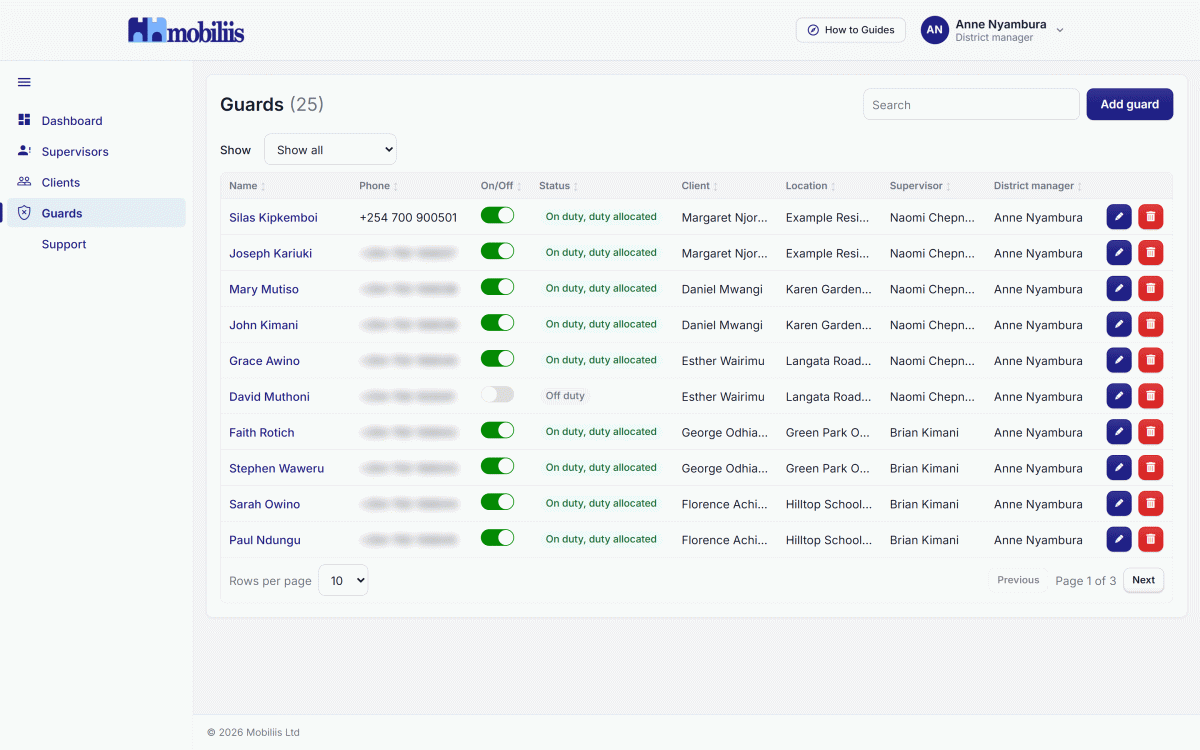
- On duty / Off duty: switch a guard off to take them off duty without deleting them. A guard counts as Off duty when switched off or with no duty running. Sort or filter the Guards list by On duty / Off duty to find a guard who is free.
One guard with several phone numbers
On the guard's form, press + Add another number and add each number they use. The first is their main number. The guard can sign in to the app with any of them and keeps the same CID. Press Remove next to a number to take it off; if they were signed in with it, they are signed out.
Several guards sharing one phone
Guards often share a company phone. Give each guard their own record and enter the shared phone's number for each of them. When someone signs in on that phone, the app sees that more than one person uses the number and asks for their CID. Each guard enters their own CID, so their duties, alerts and tracking stay under their own name. A guard who has a phone to themselves is never asked for a CID.
As you type a number, the form shows numbers already used in your company. This helps you spot a shared phone, or a number typed twice by mistake.
Getting the guard onto the app
Tell the guard to install Mobiliis from Google Play  and sign in with the phone number you entered.