User Manuals Mobiliis Company Admin Guide
12. Supervisors
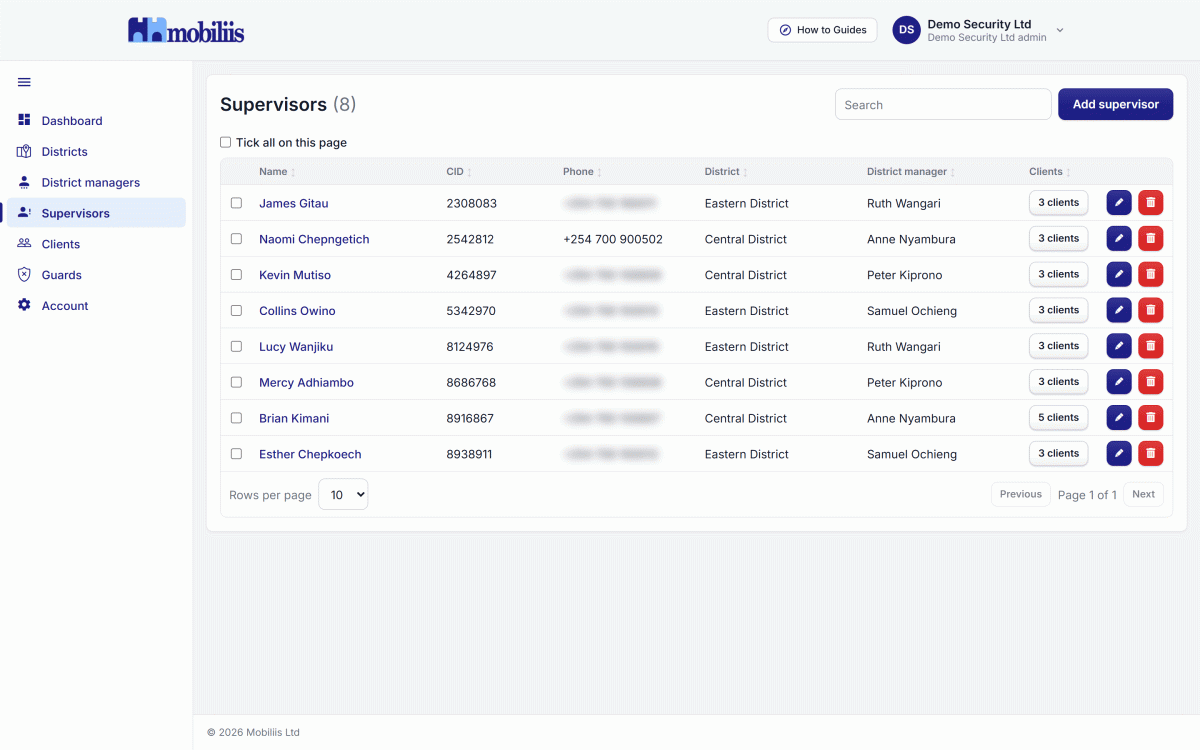
Supervisors use the Mobiliis app only; they never sign in to the admin website.
- Add: in the side menu, click Supervisors, then Add supervisor. Fill in their name, phone number, district and district manager. Mobiliis gives them their CID. A supervisor can have more than one phone number (+ Add another number).
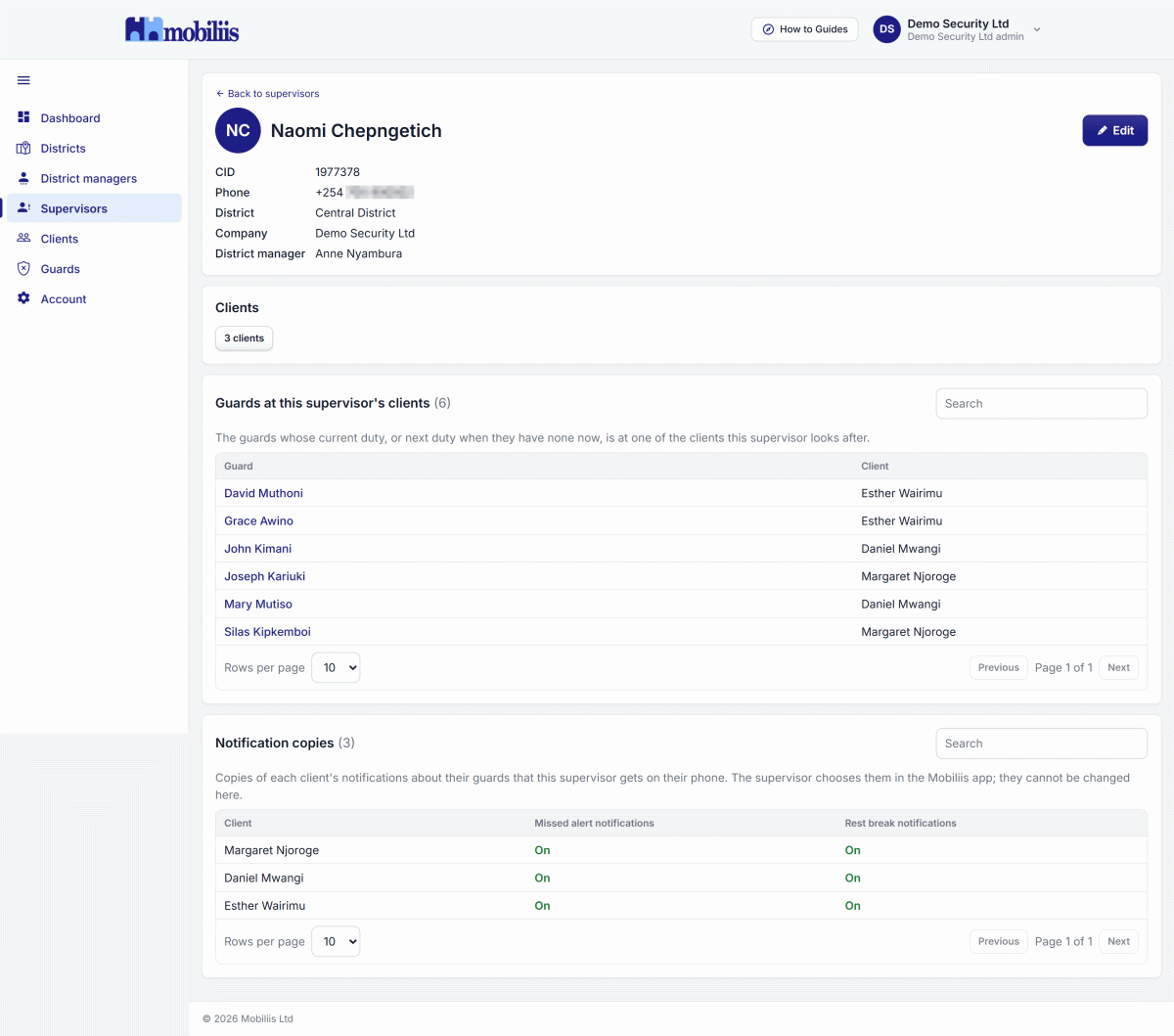
- Notification copies: the supervisor's page shows which copies of their clients' notifications they get. The supervisor chooses these in the app.
- Their clients: the supervisor's page shows the number of clients (for example "3 clients"). Click it to see those clients, tick some and press Change supervisor to move them.
- Delete: if the supervisor still has clients, Delete asks who takes them over, then deletes.