User Manuals Mobiliis Guard Guide
4. Your duty page
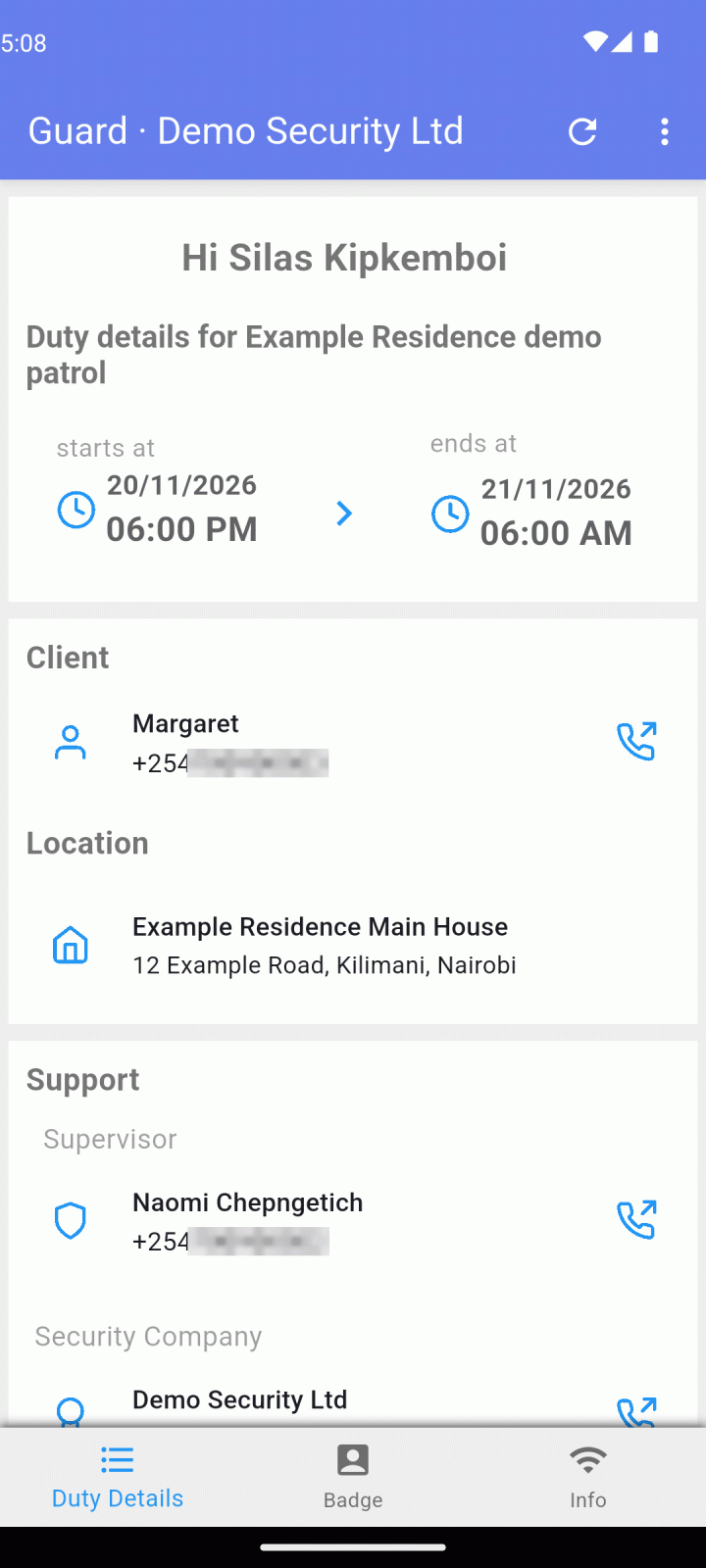
The top bar shows your company and duty, a refresh button, and the ⋮ menu. The page shows:
- Time now (once the duty has started): the time, with the date underneath;
- your next or current duty: start and end times (the duty location's time), the client, the location and the contacts, with call buttons;
- Scheduled alerts for local notifications (once the duty has started): the alerts coming up during your duty, which you can see by tapping the down arrow on the right.
Before the duty starts, the page shows the duty times, the client, the location and the Support contacts (Supervisor, Security Company).
The page changes from your next duty to your current duty by itself at the start time.