User Manuals Mobiliis District Manager Guide
8. Clients and locations
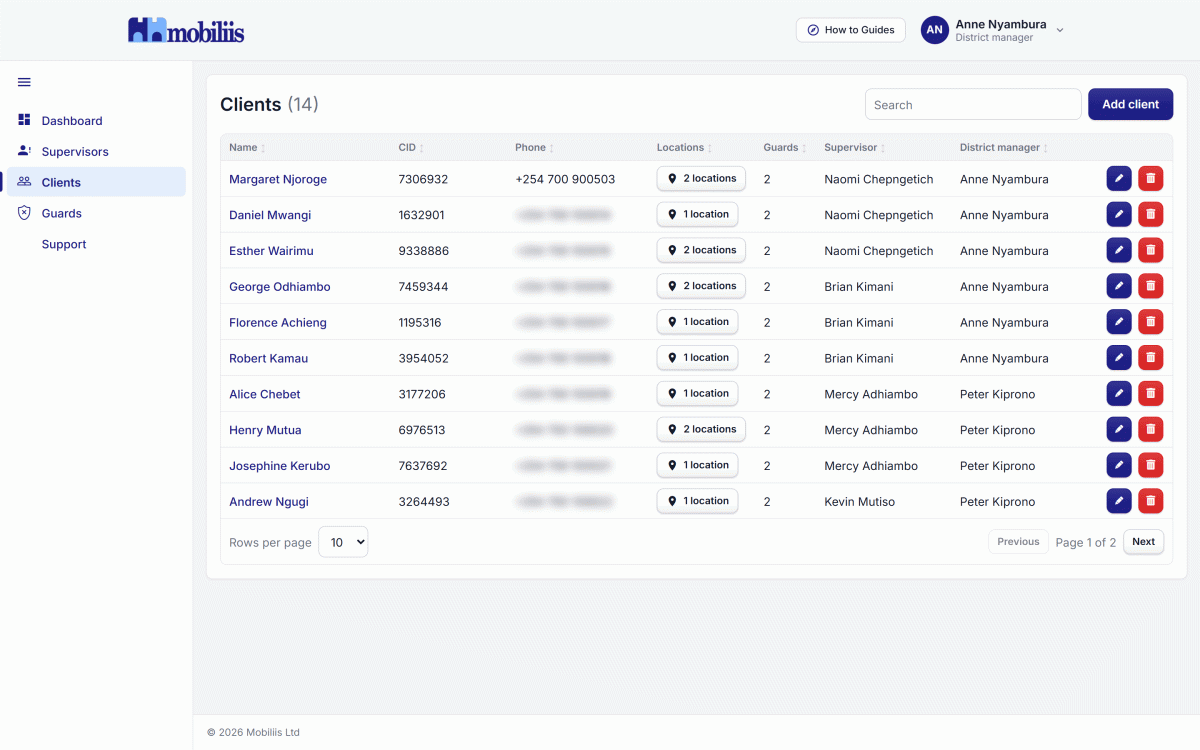
- Add a client: in the side menu, click Clients, then Add client: their name, phone number and supervisor.
- Add a location: on the client's page: name, country, address (search for it) and the pin on the map. Drag the pin to the exact spot.
- Location names must be different from every other location in Mobiliis.
- Deleting a client also deletes all its locations and all their duties. Mobiliis tells you how many before you confirm. The guards on those duties then show as Off duty until they are given a new duty.