User Manuals Mobiliis Company Admin Guide
1. What Mobiliis does and who does what
Mobiliis checks that your guards are present and alert during their duties, and shows you where they are.
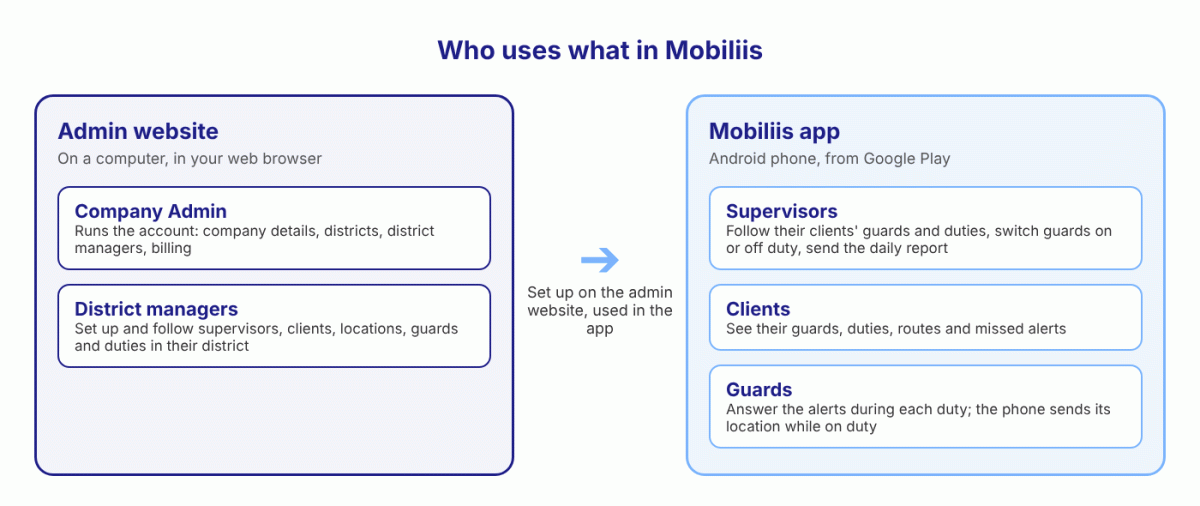
There are two parts:
- The admin website, where the Company Admin and district managers set everything up and follow the work.
- The Mobiliis app (Android, from Google Play), used by supervisors, clients and guards.
The people in Mobiliis:
| Who | Uses | What they do |
|---|---|---|
| Company Admin | admin website | Runs the account: company details, districts, district managers, billing, and everything a district manager can do. There is one Company Admin login per company. |
| District manager | admin website | Manages the supervisors, clients, locations, guards and duties of their own district. |
| Supervisor | app only | Follows their clients' guards and duties, switches guards on or off duty, gets copies of their clients' notifications and sends the daily report. Supervisors never sign in to the admin website. |
| Client | app only | Sees their guards, duties, routes and missed alerts, and gets notifications. |
| Guard | app only | Answers the alerts during each duty. Their phone sends its location while they are on duty. |
Some things only Mobiliis can change for you: alert templates (the alert intervals you choose from), your price, your billing start date, and changing a Private account into a company account. Contact Mobiliis through a support ticket (section 22) for any of these.