User Manuals Mobiliis Company Admin Guide
15. Duties
A duty is a shift a guard works at one of your clients' locations.
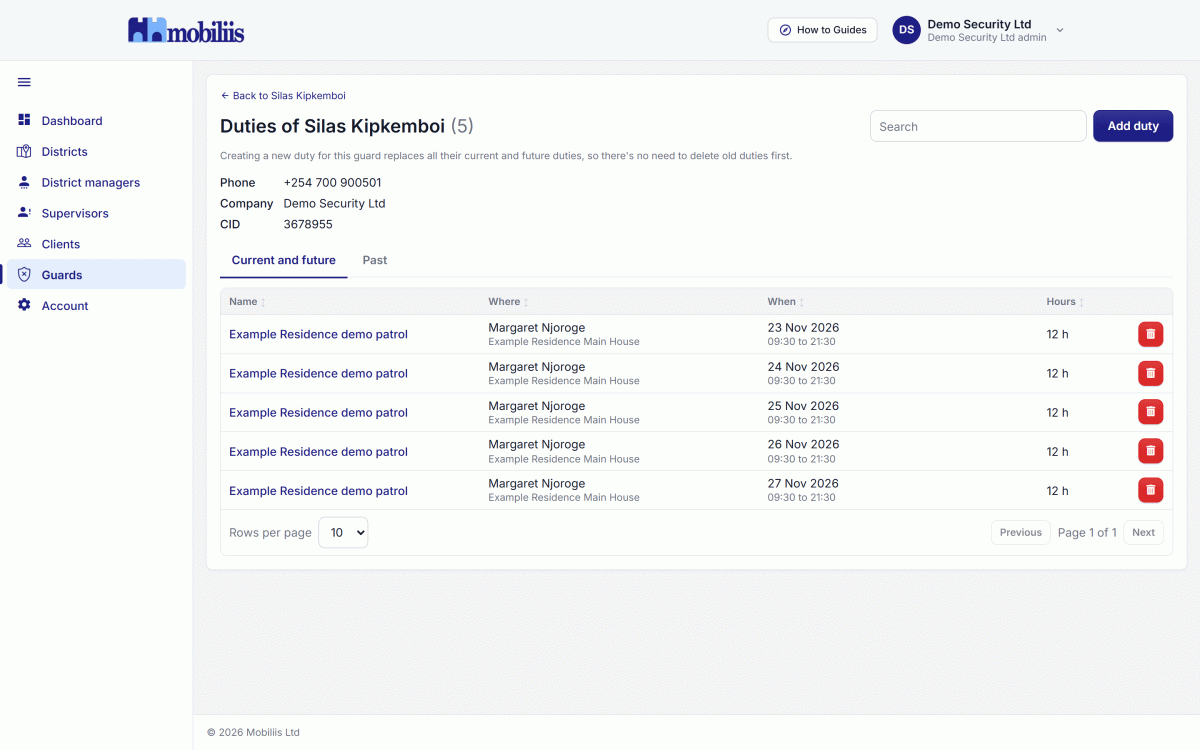
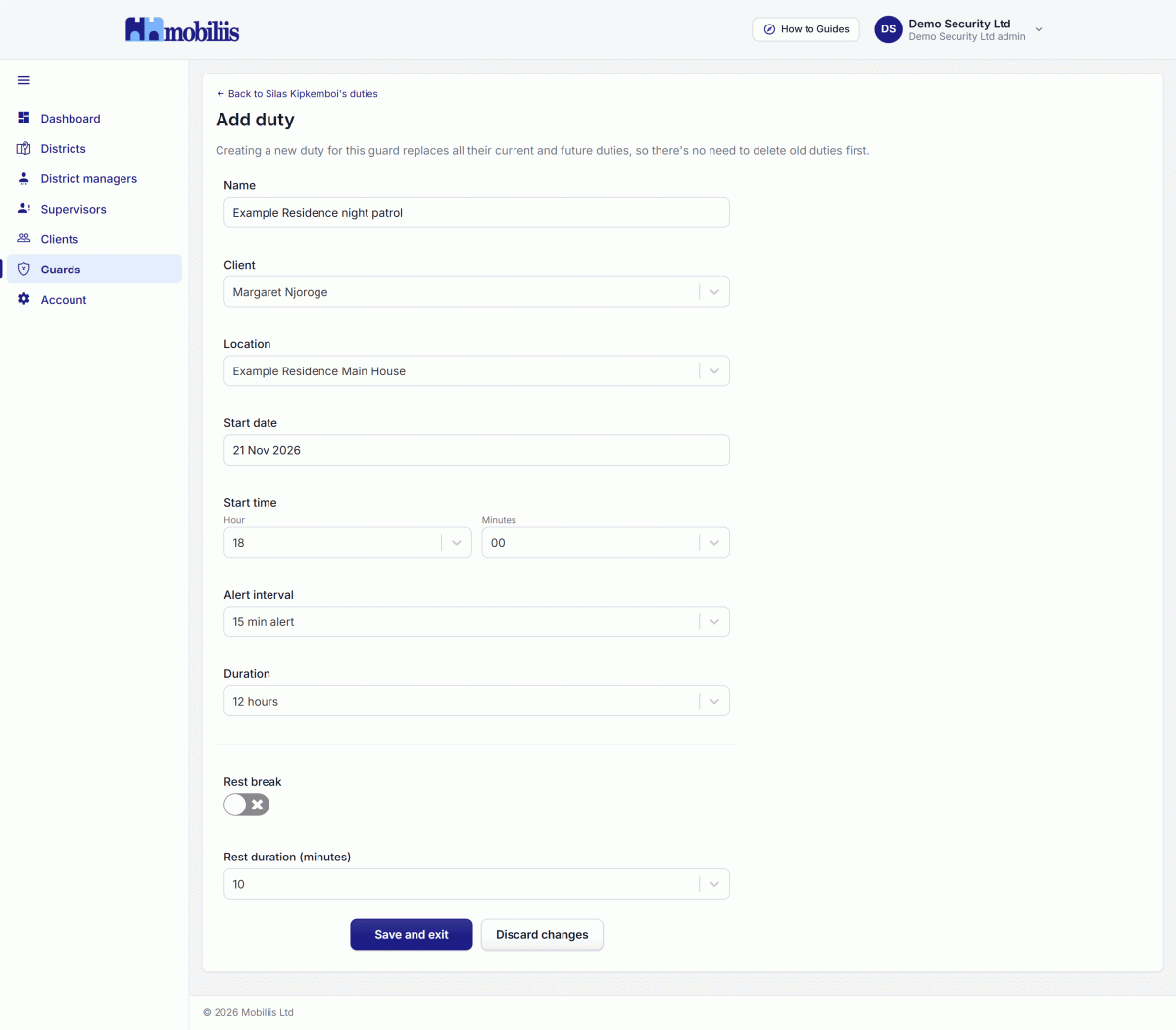
- Open the guard, press Duties, then Add duty.
- Give it a name, choose the client, the location, the start date, the start time (an hour and minutes, on the quarter hour: 00, 15, 30 or 45; it starts filled in with the guard's previous start time), how long it lasts, and the alert interval (how often the guard's app asks them to answer).
- If you want, switch on Rest break and choose the rest time: the client is told when the guard has not moved for longer than that.
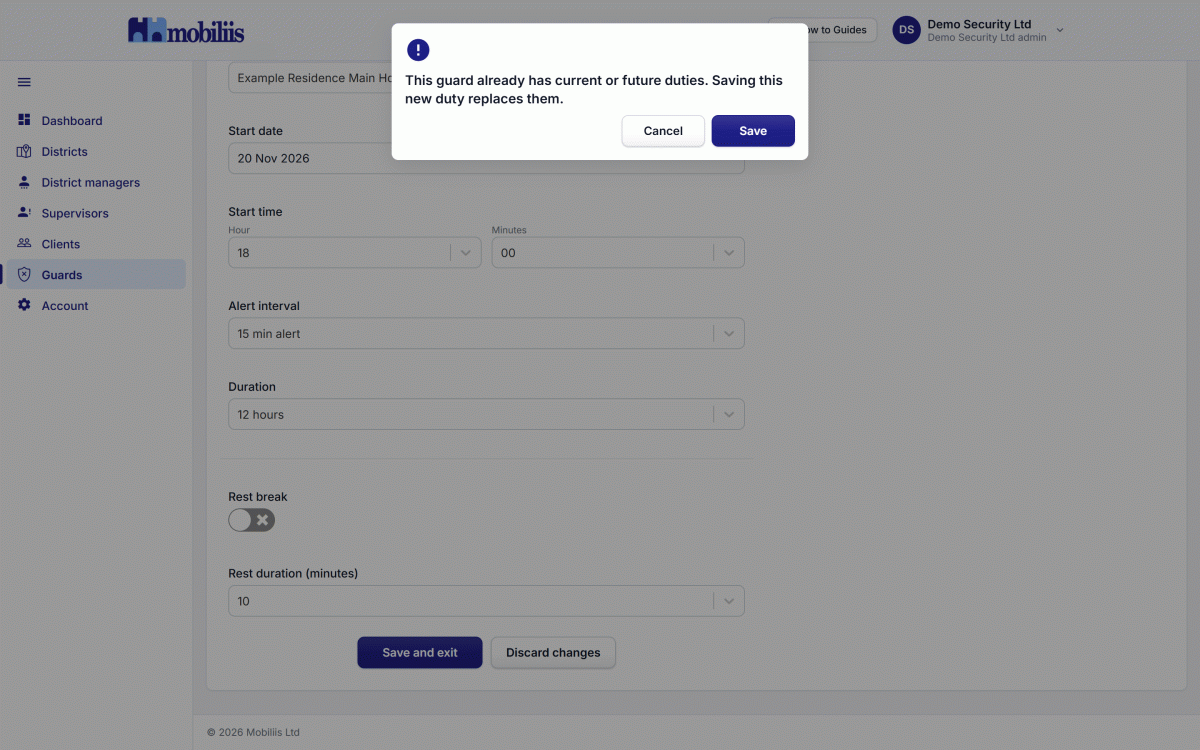
- Press Save and exit. If Mobiliis asks you to confirm, press Save.
Good to know:
- A duty automatically repeats every day at the same local time. Mobiliis keeps the next few days ready.
- A new duty replaces all the guard's current and future duties. Mobiliis asks you to confirm before saving. There is no need to delete old duties first.
- During the duty, the guard's phone takes a GPS reading about every 10 seconds and puts one averaged point on the map every 2 minutes, starting 5 minutes before the first alert.
- The guard gets a reminder 30 minutes before the start of their duty.
- The guard must be at the duty location by the start time. If they are not, the start is recorded as not on location and counts as a missed alert, even if they answer the first alert in time.
- Guards sharing a phone: only one guard can be signed in at a time. Start the next guard's duty 15 minutes after the previous guard's duty ends (for example 18:00 and 18:15), so the first guard can answer their end alert and sign out, and the next guard can sign in before their start alert.
- A start time in the past means the alerts before now are recorded as missed.
- You cannot change a running or finished duty's details, but during or after the duty you can still change the result of an individual alert. You cannot create alert templates (Mobiliis sets those; you pick an alert interval).
The guard's duties page has two tabs: Current and future, and Past. Each past duty shows its missed alerts and its Tracking record: the tracking points received, out of the points possible over the whole duty, as a percentage.