User Manuals Mobiliis Guard Guide
3. The settings page (very important)
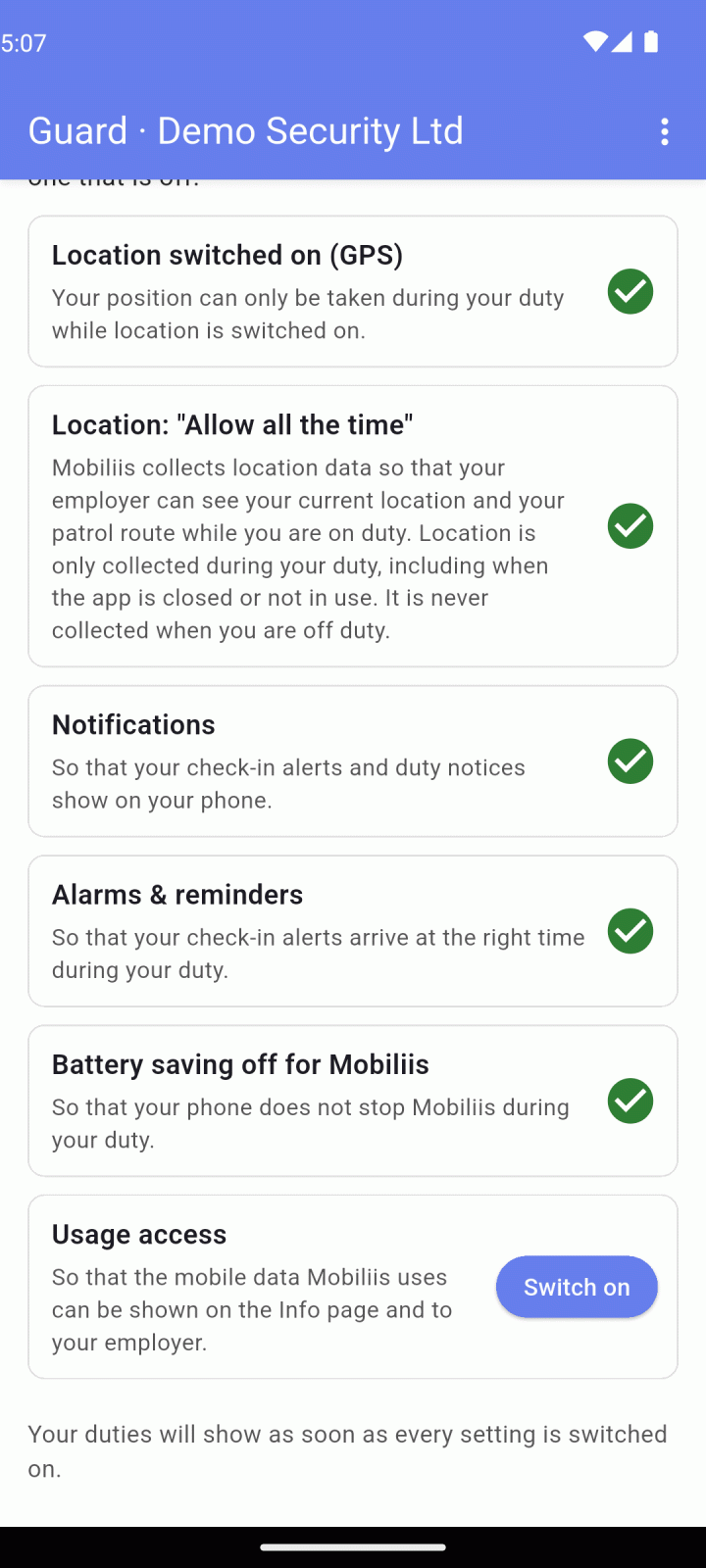
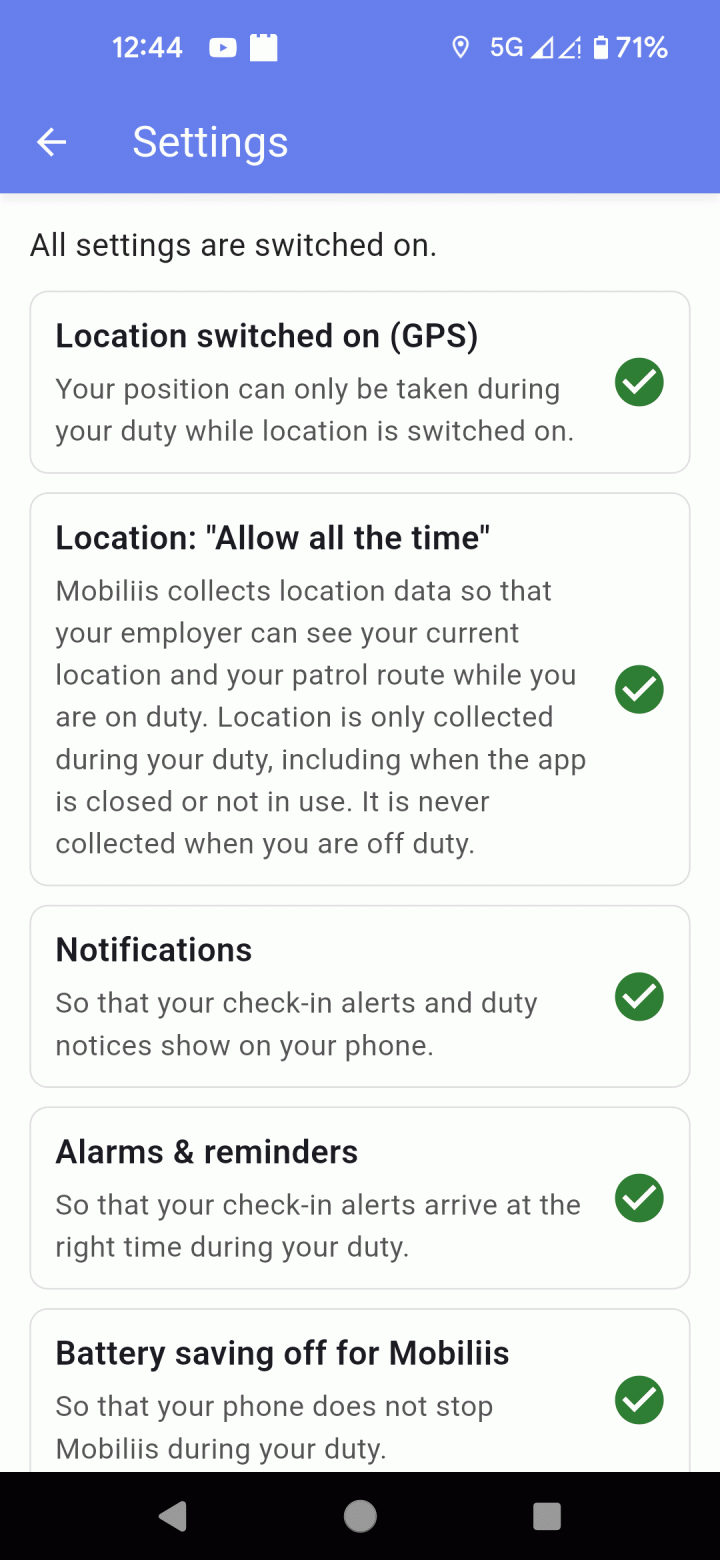
Mobiliis only works properly when your phone allows everything it needs. The Settings page lists each setting with a green tick when it is on, or a Switch on button when it is off:
- Location switched on (GPS);
- Location: "Allow all the time". Mobiliis collects location data so that your employer can see your current location and your patrol route while you are on duty. Location is only collected during your duty, including when the app is closed or not in use. It is never collected when you are off duty.
- Notifications (newer phones), so your alerts ring;
- Alarms & reminders (newer phones), so your alerts come on time;
- Battery saving off for Mobiliis, so the phone does not stop it;
- Usage access, so Mobiliis can show its data use.
Tap Switch on next to a setting. The phone's own settings screen opens; switch it on there and come back to Mobiliis. "Your duties will show as soon as every setting is switched on."
If a setting is switched off later, the settings page comes back and your duties are hidden until it is on again. You can check the settings at any time from the settings icon on the Info tab.