User Manuals Mobiliis Personal Account Guide
2. Signing up
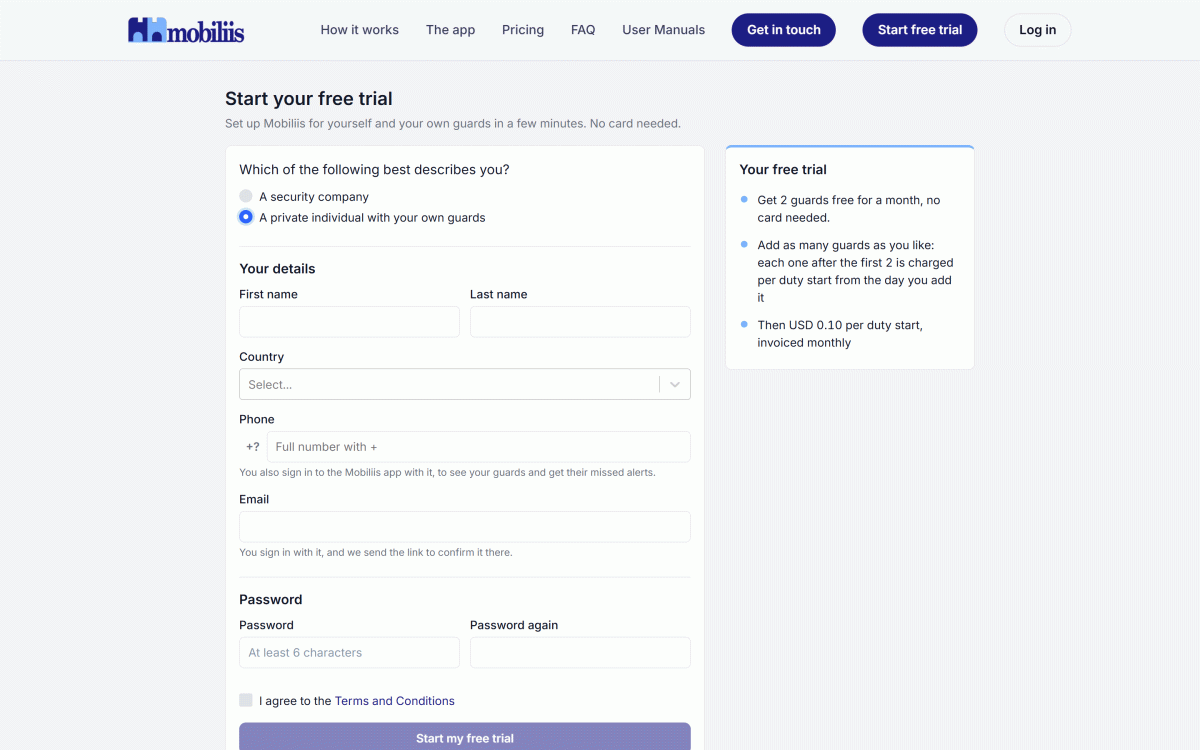
- On www.mobiliis.com, press Start free trial (or Start a free trial on the admin website's Log in page). The sign-up page opens. Its heading is "Start your free trial".
- Under "Which of the following best describes you?", choose A private individual with your own guards.
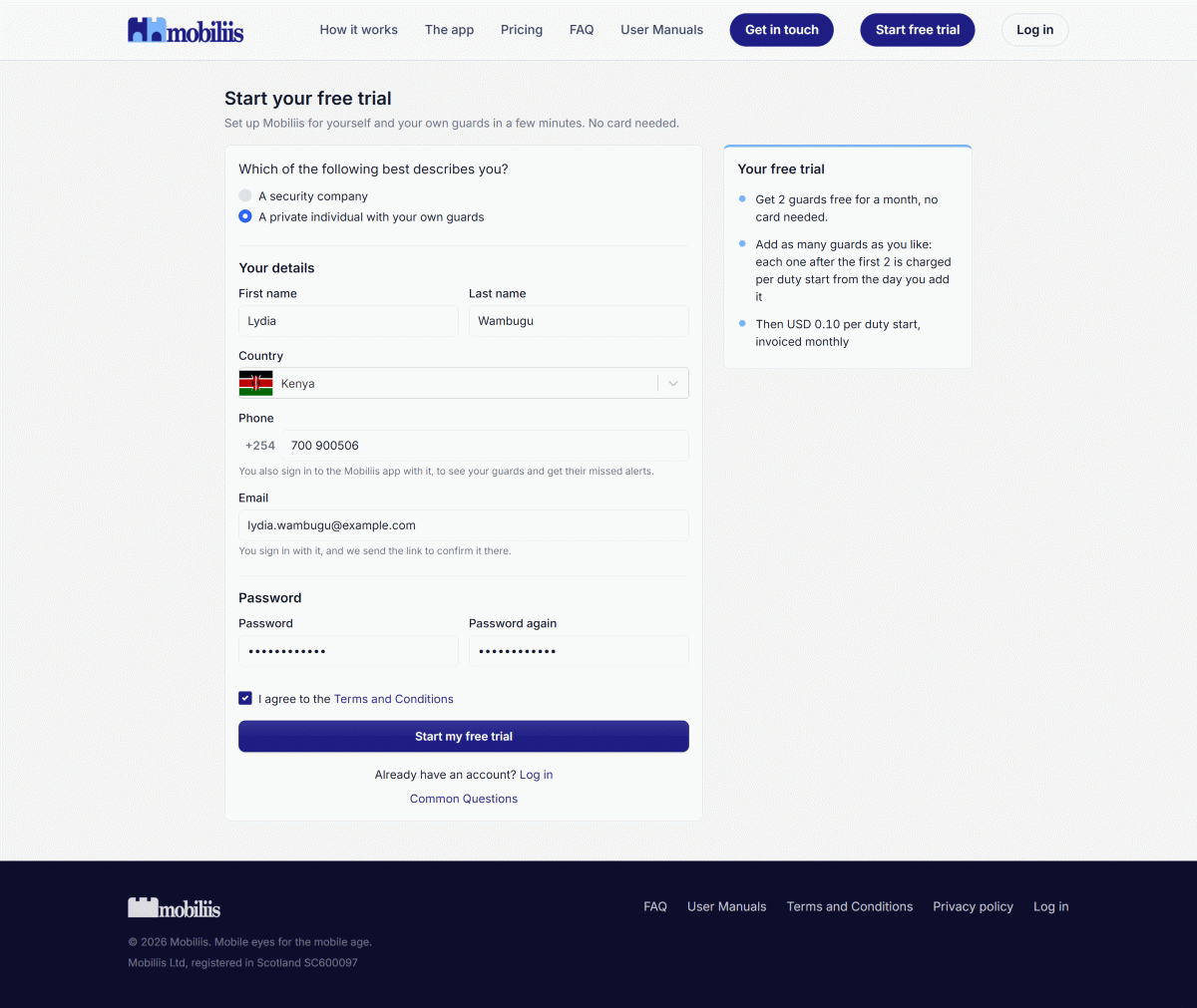
- Fill in the form:
- Your details: your first name and last name;
- Country (if your country has several time zones, you also choose yours);
- Phone: your mobile number. You also sign in to the Mobiliis app with it, to see your guards and get their missed alerts;
- Email: you sign in to the admin website with it, and Mobiliis sends the link to confirm it there;
- Password and Password again: at least 6 characters. "123456" is refused as too weak.
- Tick I agree to the Terms and Conditions. Click the words to read them in a new tab. The button stays greyed out until the box is ticked.
- Press Start my free trial.
There is no company name: your account is named after you, and your invoices, when they begin after your free trial, carry your full name.
If something is missing, the form tells you, for example "Please enter a phone number." or "Please tick the box to agree to the Terms and Conditions."
When you are done, the page says: "Thank you for signing up. We have sent you an email: please click the link in it to confirm your email address, then sign in."